


We’ve tested a wide range of backlink monitoring tools to see which ones actually deliver reliable data and useful features. While some proved to be valuable additions to our workflow, many failed to justify their cost or limitations.
To save you the trial-and-error, we compiled this list based on real-world, hands-on use. We looked at ratings and reviews on G2, Capterra, and Trustpilot, pricing, team size, reporting features, and value for money. The goal was to cover every budget and use case, from solo bloggers to enterprise agencies.
Quick List: Top Backlink Monitoring Tools in 2026
- Monitolink — Best for automated lost-link recovery
- Ahrefs — Best overall for agencies and serious SEO professionals
- Semrush — Best all-in-one SEO suite with built-in backlink monitoring
- Majestic — Best dedicated backlink tool with historical link data
- Moz Pro — Best for SEO beginners and small businesses
- SE Ranking — Best affordable all-in-one for freelancers and small agencies
- Monitor Backlinks (by SEOptimer) — Best for simple new and lost link alerts
- Linkody — Best budget-friendly tool for solo SEOs and link builders
- Serpstat — Best value-for-money SEO suite with strong data visualizations
- CognitiveSEO — Best for link audits and Google penalty recovery
- SEO SpyGlass (SEO PowerSuite) — Best free desktop tool for budget-conscious users
Backlink Monitoring Tools: Quick Comparison
1. Monitolink
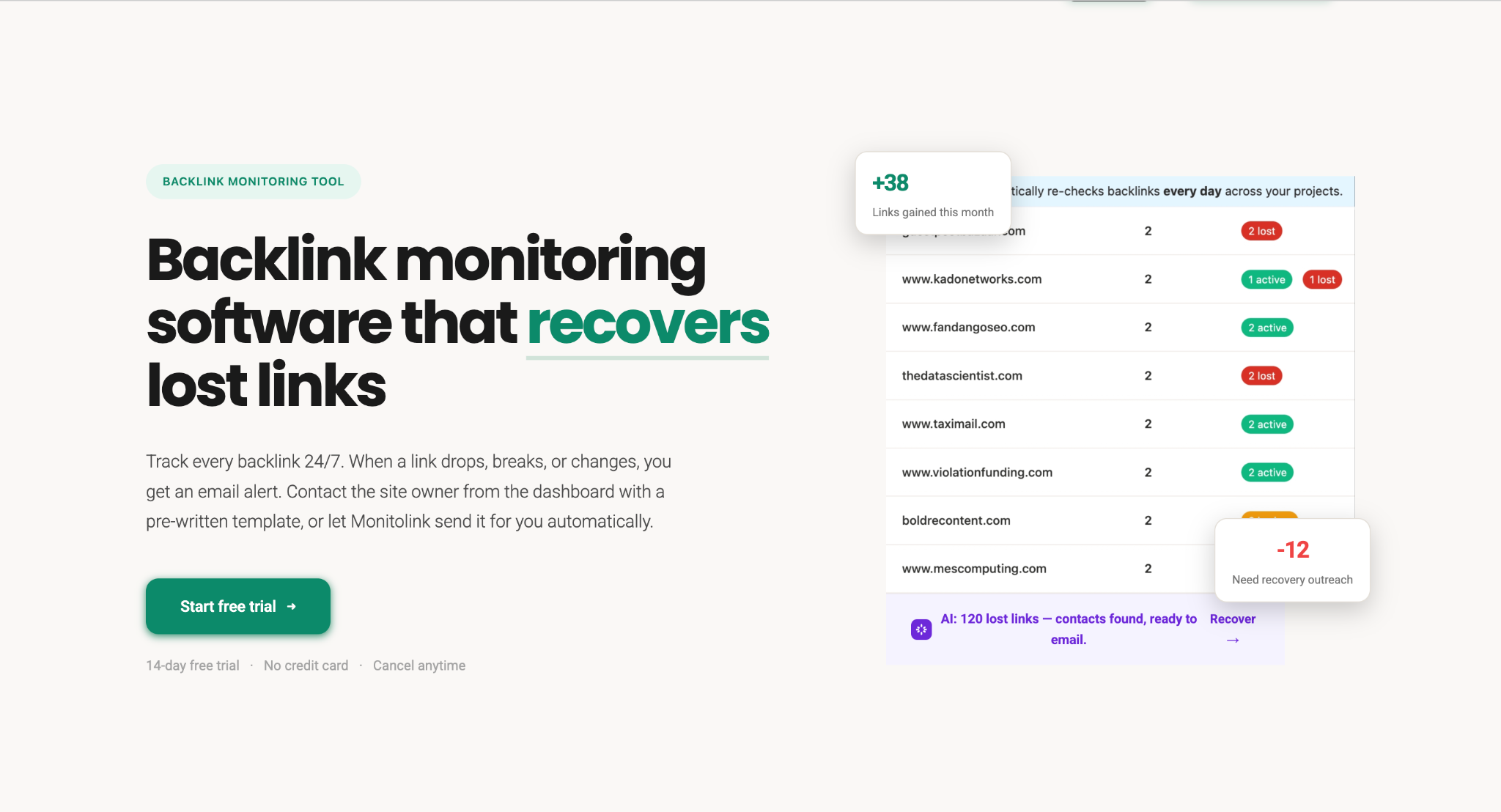
Monitolink is built around one idea most backlink tools miss: knowing a link is gone isn't the same as getting it back. You type in your domain and competitors, add your backlinks by CSV or pull them from Monitolink's own index, and the tool starts tracking everything from a single dashboard.
For monitoring, every link is rechecked every 24 hours and shows up in one table with a clear status:
- Active - the link is live and pointing to your site
- Lost - the link was removed or the site stopped responding
- Broken - the page returns a 404, server error, or client error
The table also shows each link's rel attribute, so a dofollow link quietly turning nofollow is obvious at a glance. You can tag links by campaign, client, or source, filter by spam or date, and submit or resubmit any link for indexing in one click.
Monitolink doesn't just track links; it acts on them. An AI runs in the background flagging toxic patterns and suggesting better anchor text, and when a link drops you can reach out to the site owner right from the dashboard, either manually with a templated email or automatically the moment the link is lost.
Key Features
Built-in recovery outreach, manual or fully automatic 24/7 monitoring with a fresh status check every 24 hours Backlinks table with Active, Lost, and Broken status, plus rel attribute One-click submit and resubmit for indexing CSV import from any tool, plus a built-in database of link opportunities AI that flags toxic patterns and recommends better anchor text Competitor gap analysis with profile overlap scoring Campaign, client, and source tags with backlink ROI tracking Link velocity tracking White-label PDF and CSV reports with your own branding Team seats plus Slack and Gmail integration on Pro and Agency plans
Pricing
Monitolink has four plans, all billed monthly, and you can start for free:
Free Trial - $0 for 14 days, every feature unlocked (1 project, 200 backlinks) Starter - $29/month (3 projects, 2,500 backlinks, daily checks, recovery outreach up to 25/day) Pro - $79/month (5 projects, 10,000 backlinks, 3 team seats, AI insights, outreach up to 100/day, unlimited reports). Most popular plan. Agency - $149/month (20 projects, 50,000 backlinks, 10 team seats, white-label reports, more AI insights and contact lookups)
Pros and Cons
Best For
Monitolink is best for agencies and in-house teams who want to protect the links they've already earned, not just watch them disappear. Agencies get every client domain in one dashboard with white-label reports, campaign tags, and per-campaign ROI. In-house teams get their full backlink portfolio tracked at scale with lost-link alerts and an AI watching their anchor profile in the background. If recovering lost links matters more to you than running another keyword suite, and you want to start without a big upfront cost, Monitolink is the pick, beginning free and scaling from $29/month.
2. Ahrefs
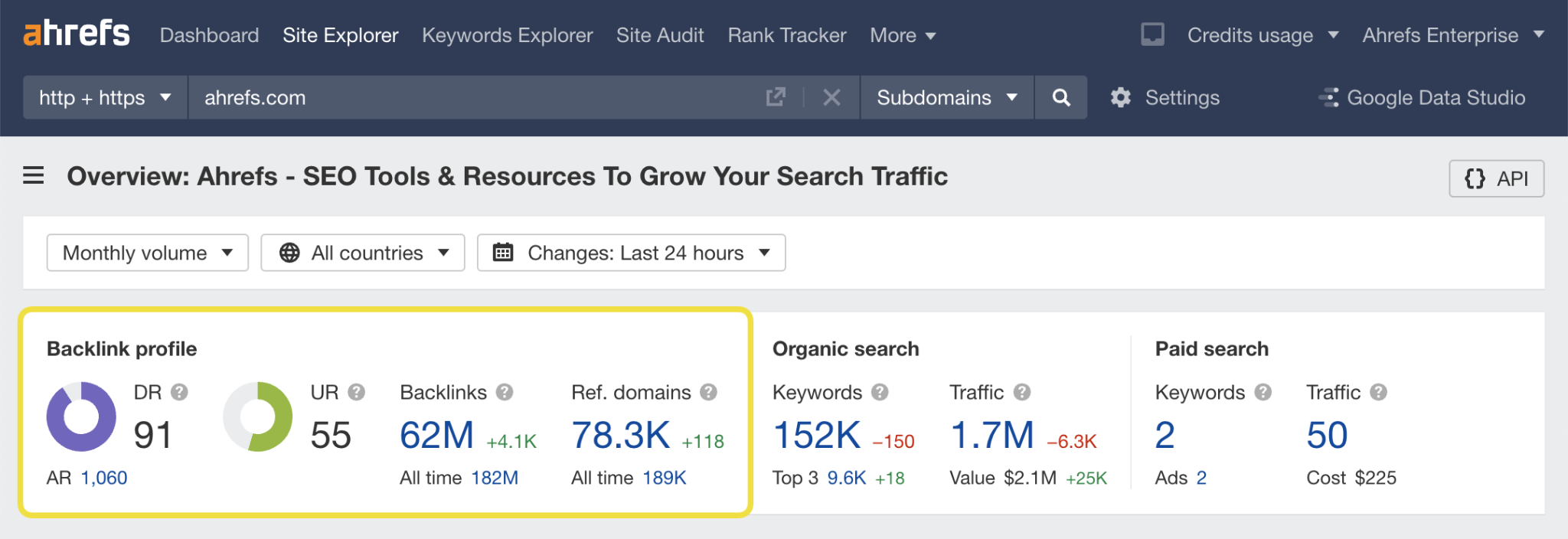
Ahrefs is one of the most trusted SEO tools in the industry. Its backlink monitoring sits inside a feature called Site Explorer. You type in any domain, and Ahrefs pulls up every link pointing to that site, along with the pages, anchor texts, and domain ratings behind them.
For monitoring, it shows you three views of your link profile:
- Live links - backlinks that are active right now
- Recent links - links gained or lost in the last few months
- Historical links - every link Ahrefs has ever found for your site
The tool updates its database every 15-30 minutes. So when a new link goes live, or an old one disappears, you'll see it fast. You can also set up email alerts to ping you whenever you gain or lose a backlink.
Ahrefs doesn't just show links; it also scores them. You get Ahrefs' own Domain Rating (DR) and URL Rating (UR) metrics, which help you judge how strong each linking site is.
Key Features
- Backlink profile with live, recent, and historical views
- Email alerts for new and lost backlinks
- Domain Rating (DR) and URL Rating (UR) metrics
- Broken backlink checker
- Anchor text report with distribution graphs
- Competitor backlink analysis (Link Intersect tool)
- Disavow file support for cleaning up toxic links
- Top pages report to see which pages earn the most links
- Batch Analysis for checking up to 200 domains at once
Pricing
Ahrefs has five plans in 2026:
- Starter - $29/month (monthly only, limited credits)
- Lite - $129/month (or $108/month billed annually)
- Standard - $249/month (or $208/month billed annually)
- Advanced - $449/month (or $374/month billed annually)
- Enterprise - $1,499/month
There's no free trial. However, verified site owners can use Ahrefs Webmaster Tools for free to see backlinks pointing to their own site.
One thing to watch: Ahrefs charges overage fees when you go past your plan limits. These charges kick in automatically, so it's worth setting a cap inside your account.
Pros and Cons
Best For
Ahrefs is best for SEO agencies, in-house SEO teams, and serious solo marketers who need deep backlink data and don't mind paying for it. If you run regular competitor research or manage link-building campaigns across multiple clients, this is the tool that most pros already use.
If the budget is tight or you only need to monitor your own site's backlinks, start with the free Ahrefs Webmaster Tools or the $29 Starter plan before upgrading.
2. Semrush
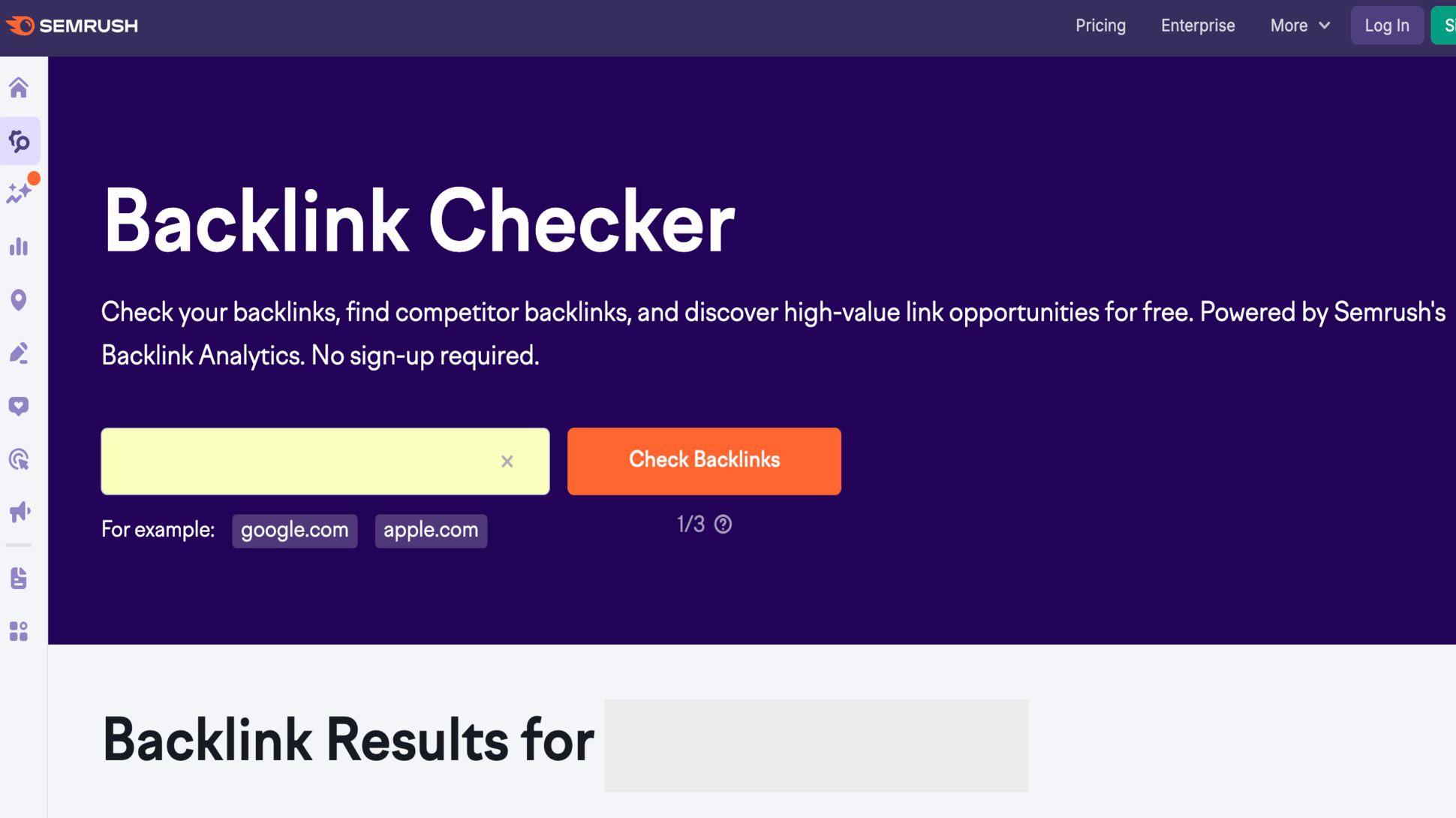
Semrush is a full SEO suite, but its backlink tools stand on their own. The main feature for monitoring is called Backlink Analytics, which shows you every link pointing to your site (or any site you analyze). You also get a separate Backlink Audit tool that scans your profile and flags toxic links that could hurt your rankings.
When you run a domain through Semrush, you'll see how many referring domains link to it, how that number has changed over time, and which anchor texts people use. The tool updates its database regularly and can alert you by email when you gain or lose a backlink.
One thing Semrush does well is toxic link detection. Each link gets a Toxicity Score based on signals like link patterns, anchor text, and site quality. You can then send bad links straight to a disavow file with a couple of clicks.
Semrush claims its backlink database is one of the biggest in the industry, with over 43 trillion links indexed. In most tests, it finds new backlinks just as fast as Ahrefs, sometimes faster.
Key Features
- Backlink Analytics with referring domain and anchor text reports
- Backlink Audit with Toxicity Scores for every link
- Built-in disavow tool that connects to Google
- Backlink Gap tool to find links your competitors have but you don't
- Authority Score metric for judging domain strength
- Link Building Tool for outreach campaigns
- Alerts for new and lost backlinks
- Historical data (on Guru and Business plans)
Pricing
Semrush offers three main plans:
- Pro - $139.95/month (or $117.33/month billed annually)
- Guru - $249.95/month (or $208.33/month billed annually)
- Business - $499.95/month (or $416.66/month billed annually)
A free plan is available with limited features. You can also grab a 7-day free trial on the Pro and Guru plans.
For backlink monitoring alone, the Pro plan covers most needs. But if you want historical backlink data going back years, you'll need Guru or higher.
Pros and Cons
Best For
Semrush is best for marketing teams, agencies, and SEO professionals who want backlink monitoring built into a broader SEO workflow. If you already handle keyword research, rank tracking, content, and PPC, it makes sense to get your backlink data from the same dashboard instead of paying for a separate tool.
3. Majestic
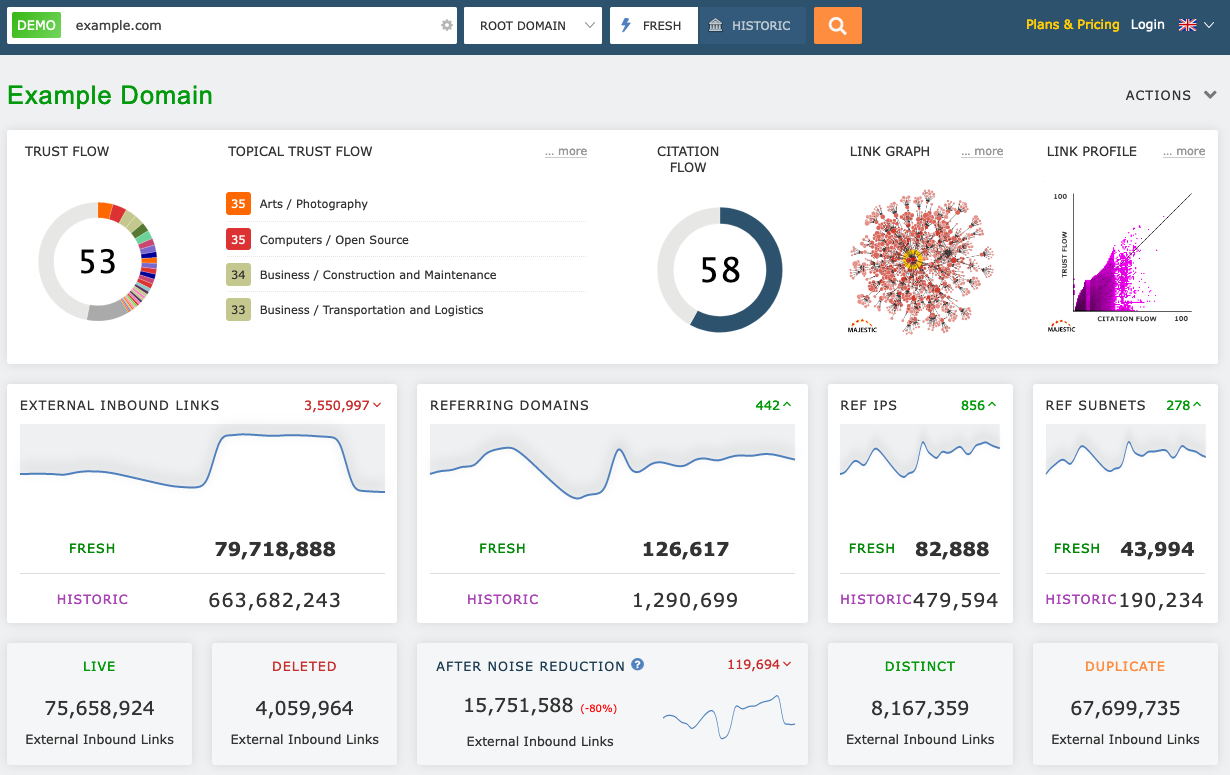
Majestic is one of the oldest backlink tools on the web and the only one on this list that focuses purely on link intelligence. It doesn't try to do keyword research or rank tracking. It just does backlinks, and it does them very well.
When you run a domain through Majestic, you'll get access to two indexes:
- Fresh Index - links found in the last 90 days
- Historic Index - every link Majestic has ever recorded, going back to 2006
That historical data is rare. Most tools only keep a year or two of link history, so Majestic is a solid pick if you need to see long-term patterns or recover lost links from years ago.
The tool is best known for its four proprietary metrics: Trust Flow, Citation Flow, Topical Trust Flow, and Visibility Flow. These scores help you judge link quality at a glance. A high Trust Flow means the site is linked to by other trustworthy sources. Topical Trust Flow tells you whether a linking site is relevant to your niche.
For monitoring, Majestic shows you new and lost backlinks, anchor text shifts, and link context (where on the page a link sits and what words surround it).
Key Features
- Fresh Index for recent backlinks, Historic Index going back to 2006
- Trust Flow and Citation Flow metrics
- Topical Trust Flow for niche relevance
- Link Context feature (shows where a link sits on the page)
- Backlink History tool to track link profile over time
- Clique Hunter to find sites that link to multiple competitors
- Bulk Backlink Checker for up to 1 million URLs at once
- Compare Sites tool for side-by-side domain analysis
- Browser extension for quick checks
Pricing
Majestic has three plans:
- Lite - $49.99/month (or $41.67/month billed annually)
- Pro - $99.99/month (or $83.33/month billed annually)
- API - $399.99/month (or $333.33/month billed annually)
There's no free trial, but new customers get a 7-day money-back guarantee on the Lite and Pro plans. A free account is available too, though it only shows limited data for domains you haven't verified.
Heads up: the Historic Index is only available on the Pro plan and above. If you need long-term data, skip the Lite plan.
Pros and Cons
Best For
Majestic is best for SEO specialists, link builders, and digital PR teams who work with backlinks all day. If your work revolves around link prospecting, competitor link audits, or long-term link tracking, Trust Flow and the Historic Index alone make it worth the spend.
It's also a smart pick for anyone who already uses another tool for keyword research and just wants a dedicated, affordable backlink tool to sit alongside it.
4. Moz Pro
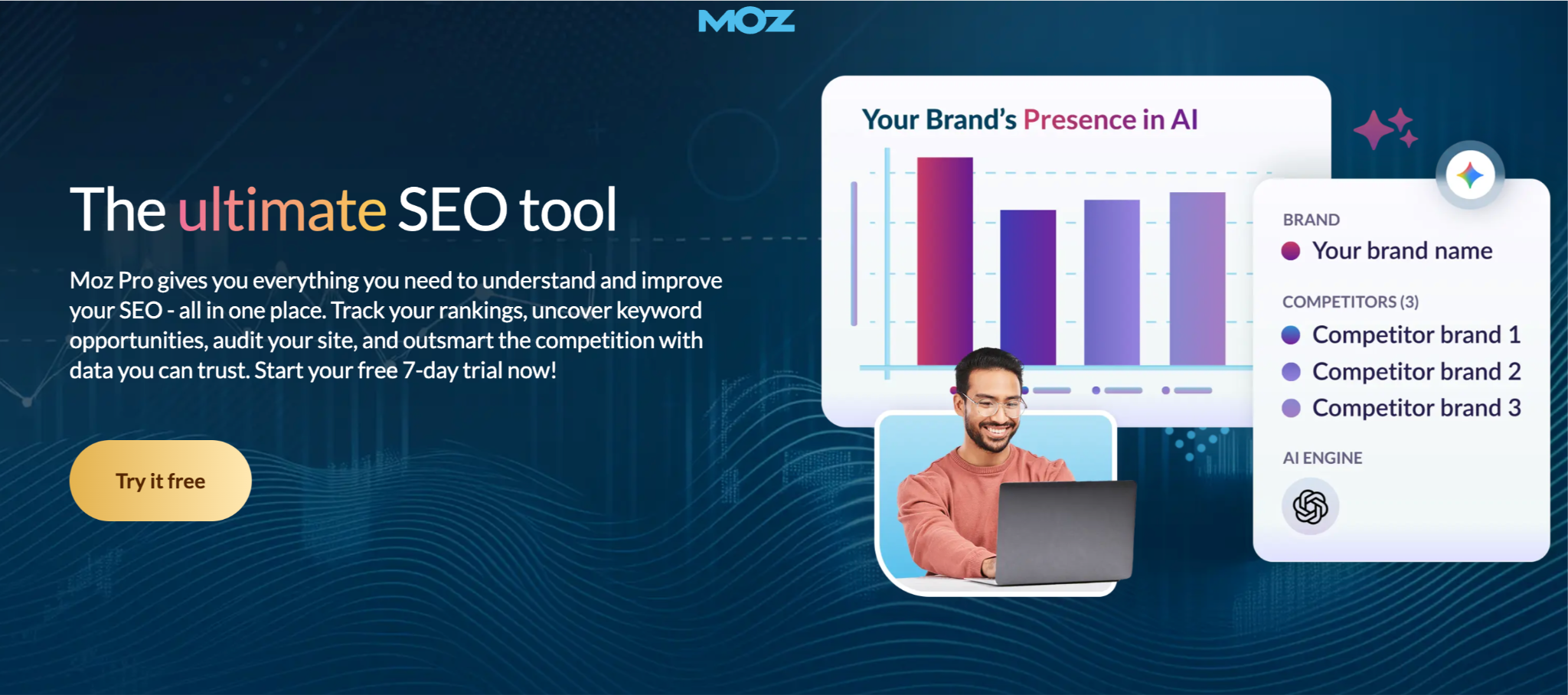
Moz Pro is one of the original SEO tools. Its backlink feature, called Link Explorer, has been around for years and is trusted across the industry. You plug in any domain and Moz shows you the full link profile, including referring domains, anchor text, and link quality signals.
Moz is famous for two metrics: Domain Authority (DA) and Page Authority (PA). These scores, on a 0-100 scale, give you a quick read on how strong a website or page is. A lot of SEOs still use DA as the go-to number when picking sites for guest posts or outreach.
Another Moz metric worth knowing is Spam Score. It flags links that look suspicious based on 27 signals, which makes it easy to spot toxic links and clean up your profile.
For monitoring, Moz tracks new and lost links, lets you compare your link profile to competitors, and shows you where you overlap. The Link Intersect tool is a favorite for link builders. You plug in your domain plus a few competitors, and Moz shows you every site that links to them but not you.
Key Features
- Link Explorer with referring domain and anchor text reports
- Domain Authority (DA) and Page Authority (PA) metrics
- Spam Score to flag risky links
- Link Intersect tool for competitor gap analysis
- Tracked backlinks with gained and lost link reports
- Top Pages report to see your best link-earning content
- MozBar Chrome extension for checking any site on the fly
- Custom reports with white-label options
Pricing
Moz Pro offers four paid plans plus a free option:
- Free - Limited Link Explorer queries per month
- Starter - $49/month (or $39/month billed annually)
- Standard - $99/month (or $79/month billed annually)
- Medium - $179/month (or $143/month billed annually)
- Large - $299/month (or $239/month billed annually)
Moz also offers a 7-day free trial on paid plans. One thing to note: the Starter plan has limited backlink analysis. To get the full Link Explorer with tracked backlinks and Link Intersect, you'll need the Standard plan or higher.
One nice touch: Moz doesn't charge overage fees. If you hit your monthly limit, features pause until the next cycle instead of billing you for more.
Pros and Cons
Best For
Moz Pro is best for small businesses, content marketers, and SEO beginners who want solid backlink data without a steep learning curve. The clean dashboard and beginner-friendly metrics (DA, PA, Spam Score) make it easier to pick up than Ahrefs or Semrush.
It's also a great fit for agencies that need white-label reporting for clients and for anyone who relies on Domain Authority as part of their link-building workflow.
5. SE Ranking
SE Ranking started as a rank tracker, but it's grown into a full SEO suite with one of the most useful backlink monitoring tools on the market. It works through two connected features: Backlink Checker (for research) and Backlink Monitor (for ongoing tracking).
Here's how it works. You enter a domain in the Backlink Checker and get a full link profile, including referring domains, anchor text, dofollow/nofollow ratio, and the first and last date each link was seen. When you spot links worth watching, you can send them to the Backlink Monitor. SE Ranking then checks those links every day and emails you if anything changes.
You can also import links straight from Google Search Console, which is a nice time saver if you're tracking a lot of new backlinks from outreach campaigns.
SE Ranking uses two of its own metrics: Domain Trust and Page Trust. These scores help you judge the strength of a linking site. The tool also flags toxic links and lets you build a disavow file in a couple of clicks.
One standout feature is the cost tracking tool. You can assign a manager and a price to each backlink you build (guest post fees, niche edit costs, etc.). This is a big help for agencies and in-house teams that need to report on link-building ROI.
Key Features
- Backlink Checker for competitor and domain research
- Backlink Monitor with daily status checks and email alerts
- Google Search Console integration for easy imports
- Domain Trust and Page Trust scores
- Anchor text and rel attribute tracking (UGC, sponsored, nofollow)
- Toxic link detection and disavow file builder
- Link cost tracking per URL
- White-label reports for agencies
- Backlink Gap tool for competitor analysis
Pricing
SE Ranking has moved to a streamlined plan structure in 2026:
- Core - $129/month (or $103.20/month billed annually)
- Growth - $279/month (or $223.20/month billed annually)
- Enterprise - Custom pricing
New users get a 14-day free trial with no credit card needed. All features on your plan are unlocked during the trial, so you can fully test backlink monitoring before paying.
For agencies, white-label reporting is a paid add-on rather than a built-in feature on lower tiers.
Pros and Cons
Best For
SE Ranking is best for freelancers, small agencies, and growing businesses who want solid backlink monitoring without the high cost of Ahrefs or Semrush. The daily link checks and cost tracking make it especially useful for teams that buy guest posts or run paid link-building campaigns and need to prove ROI.
6. Monitor Backlinks (by SEOptimer)
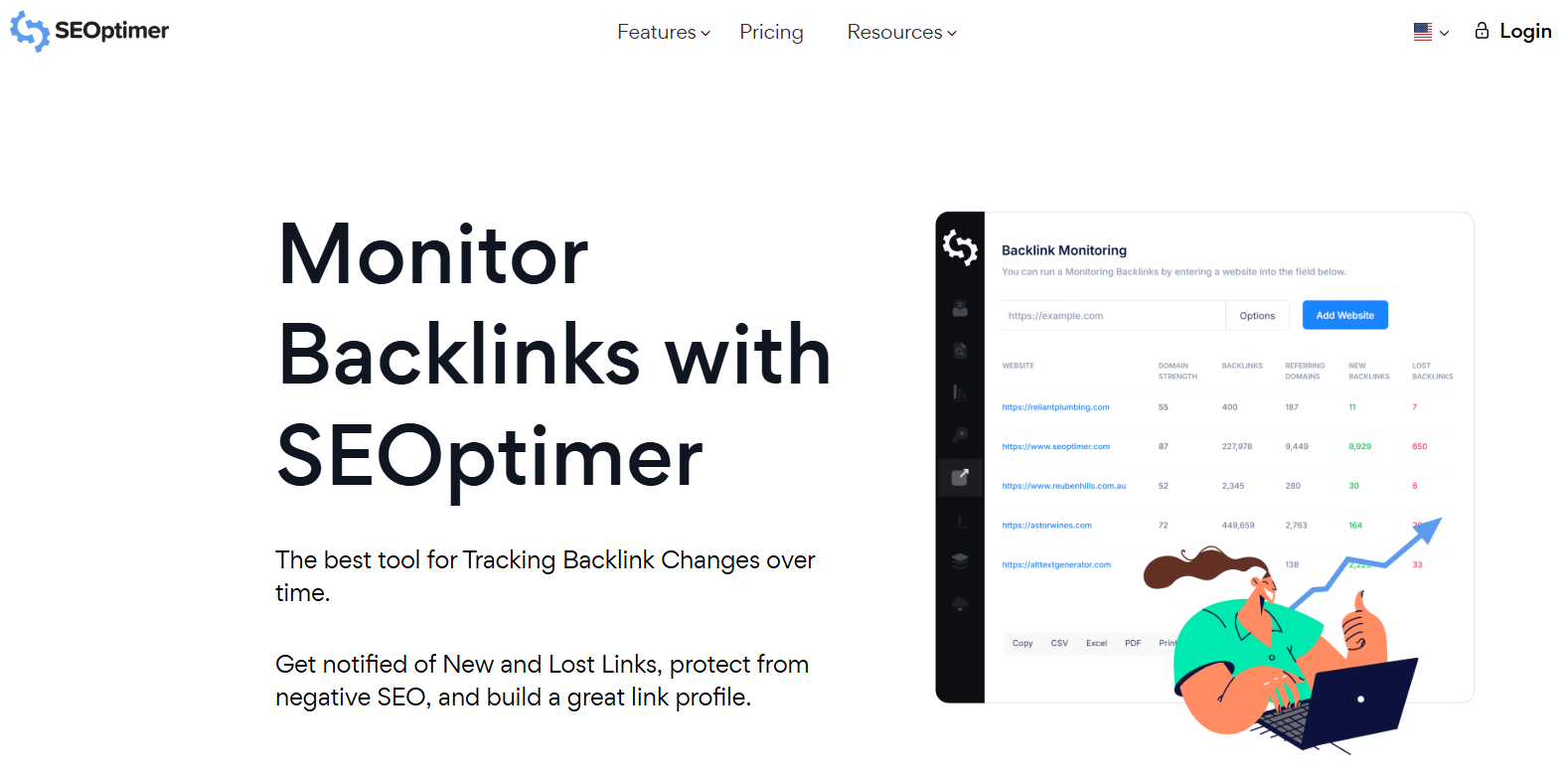
Monitor Backlinks started as a standalone tool, but it's now part of SEOptimer. The backlink monitoring engine is the same, just folded into a broader SEO suite. Many SEOs still call it "Monitor Backlinks," and that's how it shows up in most tool lists.
The appeal is simple: clean dashboards, quick alerts, no clutter. You plug in your domain, and the tool tracks every link pointing to it. When a new link appears, or an old one drops off, you get an email. That's the core loop, and it works well.
You get a backlink change dashboard that shows gained and lost links at a glance, along with the follow/nofollow status, link strength score, and the date each link was found. The tool also lets you run competitor checks, so you can see who links to your rivals and spot new outreach targets.
Beyond the core monitoring, the parent SEOptimer platform adds site audits, keyword rank tracking, and white-label reports for agencies. So you're not just getting a backlink tool, you're getting a mini SEO suite built around it.
Key Features
- Backlink Change Dashboard with gained and lost link alerts
- Email notifications for new and lost backlinks
- Follow/nofollow and link strength data
- Competitor backlink analysis
- Keyword rank tracking alongside backlink data
- Disavow file generation
- Google Analytics integration
- Site audit and SEO reporting tools
- White-label PDF reports for clients
Pricing
SEOptimer (which includes Monitor Backlinks) offers three plans:
- DIY SEO - Starting around $19/month (basic audits, no full backlink monitoring)
- White Label - Starting around $39/month (includes backlink monitoring)
- White Label & Embed - Starting around $59/month (adds embeddable audit widgets)
A 14-day free trial is available, which gives you full access to the backlink monitoring features before you commit.
Note: Backlink monitoring kicks in at the white label plan and above. The lowest-tier DIY plan is more focused on audits.
Pros and Cons
Best For
This tool is best for small businesses, bloggers, and solo SEOs who want reliable new/lost link alerts without paying for a full enterprise suite. If your main need is "tell me when a link appears or disappears," Monitor Backlinks does that job cleanly.
It's also a smart pick for agencies that want white-label client reports at an affordable price point. The DIY-to-agency workflow is built into the core product, which isn't always the case at this price range.
7. Linkody
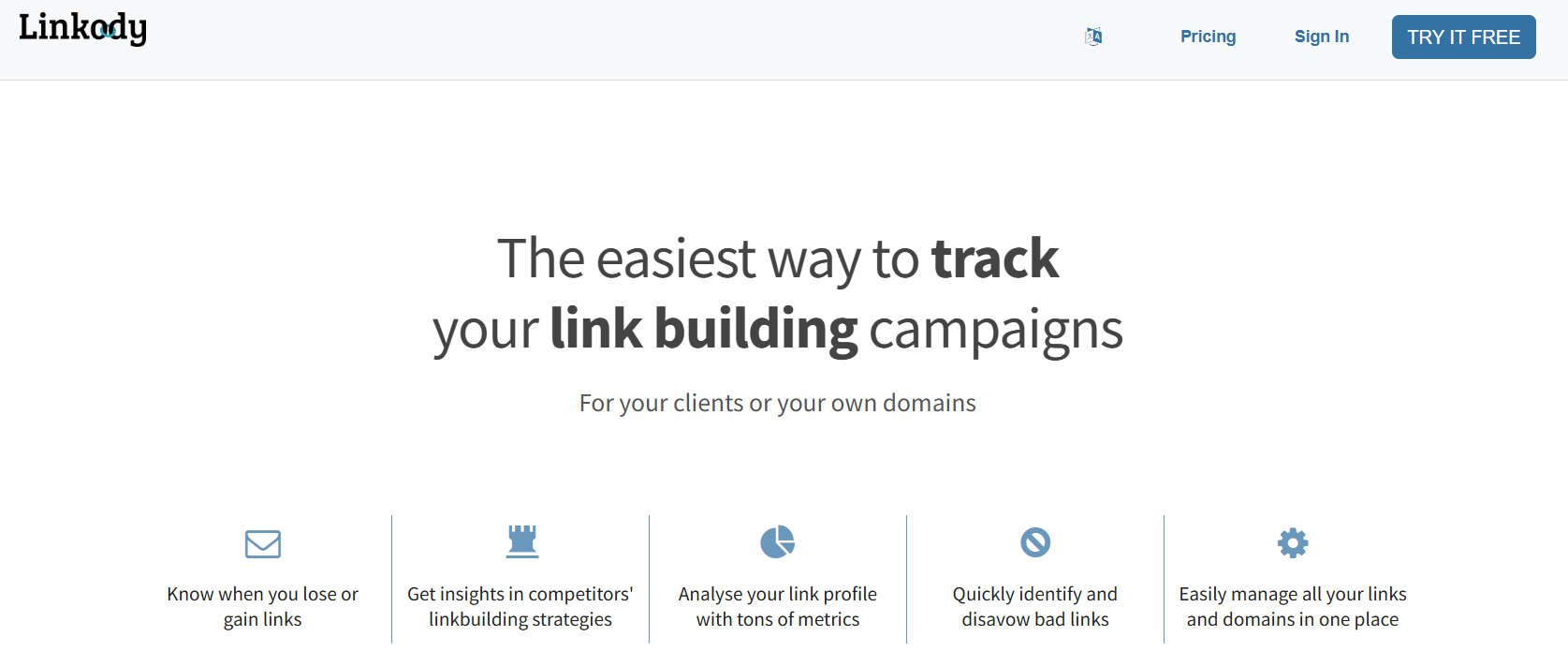
Linkody is one of the few tools on this list that does one thing and does it well: backlink monitoring. There's no keyword research, no rank tracker, no site audit, just backlinks. That focus is why so many link builders and agencies keep it in their stack.
The way it works is simple. You add a domain, and Linkody pulls in every backlink it finds. It checks those links every 24 hours and emails you when anything changes, a link goes live, drops off, turns from dofollow to nofollow, or gets its anchor text swapped. You can also import links straight from Google Search Console, so nothing slips through the cracks.
Each link comes with data like Moz Domain Authority, Majestic Trust Flow, Citation Flow, and Spam Score. This pulls in metrics from the big players, so you don't have to check multiple tools to judge link quality.
For agencies, Linkody includes white-label PDF reports. You can add your logo, pick your colors, and send branded reports to clients without needing a separate reporting tool.
The disavow file generator is another handy feature. Spot a toxic link, add it to your disavow list, and download the file ready to upload to Google.
Key Features
- 24/7 backlink monitoring with daily checks
- Email alerts for new, lost, and changed backlinks
- Google Search Console integration
- Built-in Moz, Majestic, and Spam Score metrics
- Disavow file generator
- Competitor backlink tracking
- Anchor text analysis and link profile breakdown
- White-label PDF reports for agencies
- Tags and notes for organizing backlinks
Pricing
Linkody has six plans, scaling with the number of domains and backlinks you monitor:
- Webmaster - $14.90/month (2 domains, 500 backlinks)
- Advanced - $24.90/month (5 domains, 2,000 backlinks)
- Pro - $49.90/month (15 domains, 8,000 backlinks)
- Agency - $99.90/month (40 domains, 25,000 backlinks)
- Agency XL - $153.90/month (80 domains, 60,000 backlinks)
- Agency XXL - $299.90/month (200 domains, 200,000 backlinks)
A 30-day free trial is available, which is longer than most tools on this list. No credit card is required to start.
Pros and Cons
Best For
Linkody is best for freelance SEOs, small agencies, and solo marketers who want a dedicated backlink monitoring tool without paying for a full SEO suite. If you already use Ahrefs or Semrush for research but want something cheaper for day-to-day monitoring, Linkody fits that gap well.
It's also a strong pick for agencies juggling multiple clients. The white-label reports and multi-domain plans are built exactly for that workflow.
8. Serpstat
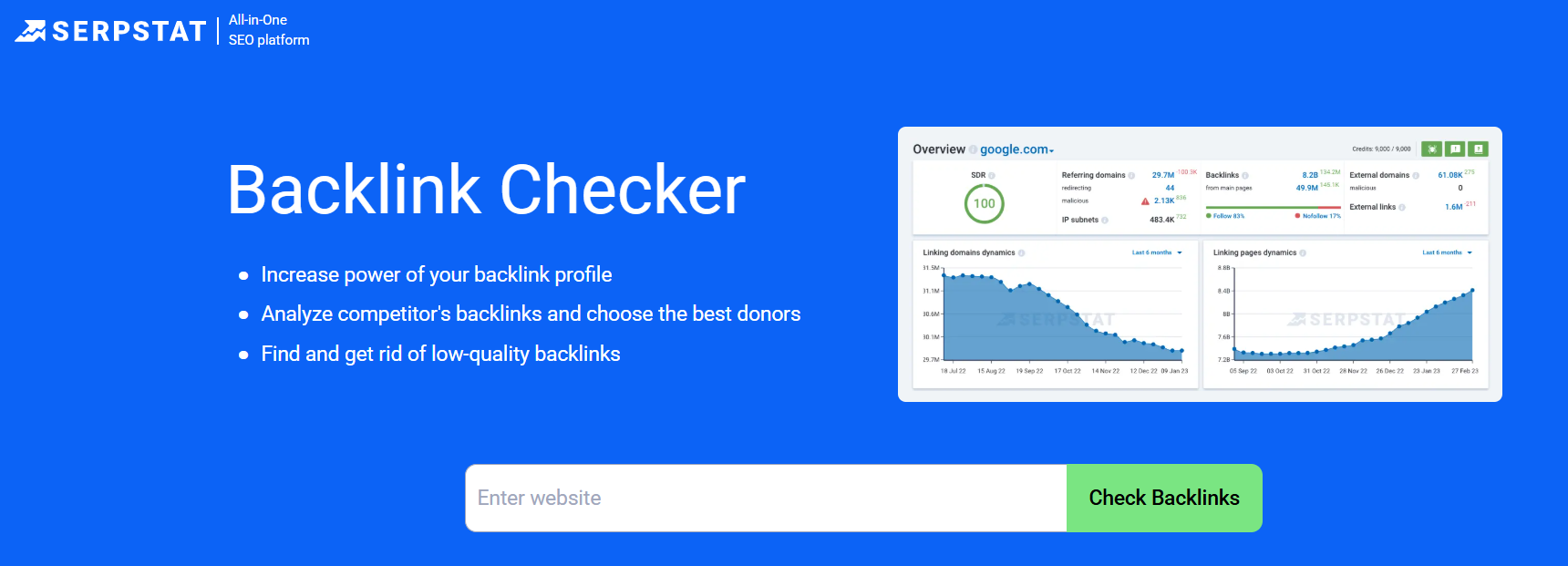
Serpstat is an all-in-one SEO suite that's built up a loyal following over the past decade, especially among small agencies and freelancers who want more features for less money. Its backlink tool lives inside the Backlink Analysis section and works alongside its keyword research, rank tracking, and site audit features.
When you plug in a domain, Serpstat pulls a full link profile with referring domains, backlinks, anchor texts, and dofollow/nofollow ratios. Where Serpstat stands out is its data visualizations. You get clean graphs showing new and lost backlinks over time, referring page growth, and link profile trends. It makes patterns easier to spot than raw lists do.
For monitoring, Serpstat tracks changes in your backlink profile and lets you compare any two dates to see what's new, what's gone, and what's changed. You can also track your competitors the same way to spot fresh outreach opportunities.
Serpstat uses its own metric called Serpstat Page Rank (SPR) and Serpstat Domain Rank (SDR) to score link quality. It also breaks down anchor text by type (branded, keyword, URL, generic) so you can check that your profile looks natural.
The platform works well for agencies. You can build white-label reports, manage multiple users, and integrate everything with Google Analytics and Search Console.
Key Features
- Backlink Analysis with referring domain and anchor text reports
- Clean data visualizations for link trends over time
- New and lost backlinks tracking with date comparisons
- Competitor backlink research
- Serpstat Page Rank (SPR) and Domain Rank (SDR) metrics
- Anchor text classification (branded, keyword, URL, generic)
- Bulk URL analysis
- White-label reports for agencies
- Google Analytics and Search Console integration
- Team access with role permissions
Pricing
Serpstat has four main plans, plus a free option:
- Free - Limited daily credits
- Lite - $69/month (or $55/month billed annually)
- Standard - $149/month (or $119/month billed annually)
- Advanced - $299/month (or $239/month billed annually)
- Enterprise - $499/month (or $399/month billed annually)
A 7-day free trial of all paid features is available. Annual billing saves you around 20% across all plans.
Pros and Cons
Best For
Serpstat is best for small agencies, freelancers, and growing SaaS teams that want a full SEO suite without paying $200+ per month. If you want solid backlink monitoring paired with keyword research and site audits, and budget matters, Serpstat punches above its weight.
It's also a smart pick for teams that value clear visual reporting over raw data. The trend charts make it easier to spot shifts in your link profile than most competitors.
9. CognitiveSEO
CognitiveSEO sits in a similar space to Link Research Tools. It's built for SEOs who need to dig into backlink quality, spot problems, and recover from Google penalties. Where Ahrefs and Semrush focus on discovery, CognitiveSEO focuses on diagnosis.
The core backlink feature is called Inbound Link Analysis. You plug in a domain, and CognitiveSEO combines data from multiple sources to build a complete link profile. It then runs that profile through its Unnatural Link Detection algorithm, which flags links that look risky. Each link gets a classification (OK, Suspect, or Unnatural), so you know exactly what needs fixing.
The tool pairs this with a Link Navigator for disavow work. Instead of exporting a list and editing a text file, you can tag, filter, and build your disavow file right in the dashboard. For anyone who's recovered a site from a manual penalty, this workflow is a huge time saver.
For monitoring, CognitiveSEO checks your backlinks on a set schedule and sends email alerts when you gain or lose links. It also tracks changes in anchor text and link type, so you'll spot it when a dofollow link turns into a nofollow.
Beyond backlinks, you also get rank tracking, content optimization, and a site audit tool. This makes CognitiveSEO more of a hybrid: not as broad as Semrush, but broader than Majestic or Linkody.
Key Features
- Inbound Link Analysis with data from multiple sources
- Unnatural Link Detection algorithm (OK / Suspect / Unnatural)
- Link Navigator for fast disavow file building
- New and lost backlink email alerts
- Anchor text distribution and risk analysis
- Competitor backlink research
- Site audit with crawl error reports
- Rank tracker for desktop and mobile
- Content Assistant for on-page optimization
Pricing
CognitiveSEO offers three main plans:
- Starter - $129/month (or around $89/month billed annually) - 5 projects
- Premium - around $299/month - more projects and crawl limits
- Elite (Agency) - $499/month - up to 25 projects and 10 users
- Enterprise - Custom pricing
There's a free trial available, and you can scale up or down based on project count and team size.
Pros and Cons
Best For
CognitiveSEO is best for technical SEOs, agencies handling penalty recovery, and teams that run regular backlink audits. If your main job involves digging into bad links, disavowing them, and helping sites recover from algorithm hits, this is one of the best tools on the market.
It's also a solid pick for brands in high-risk niches (finance, health, affiliate) where a clean link profile matters more than raw backlink count. For simple monitoring alone, cheaper tools like Linkody or Monitor Backlinks will do the job just as well.
10. SEO SpyGlass (SEO PowerSuite)
SEO SpyGlass is the backlink tool inside SEO PowerSuite, a desktop-based SEO toolkit. That's the first thing to know: this isn't a cloud app. You download and install it on your computer (Windows, Mac, or Linux), and it runs locally. Data is still pulled from the cloud, but the interface lives on your desktop.
This setup has a big upside: price. SEO PowerSuite offers a generous free version that most small site owners can use as-is, and the paid licenses cost less annually than most tools on this list charge per month.
SEO SpyGlass pulls from a backlink index of around 3.6 trillion links, crawled from 7.1 billion pages daily. When you run a domain through it, you'll see every known backlink along with anchor text, dofollow/nofollow status, and the first and last date each link was seen. It also pulls in competitor data so you can spy on rivals.
The feature that stands out is the Penalty Risk metric. SpyGlass scores each link on whether it might put your site at risk with Google. Links flagged as high risk can be sent straight to the built-in Disavow File Generator, which builds a ready-to-upload file for Google Search Console.
For monitoring, you can re-run your project on a schedule and compare against previous runs to catch new and lost links. It won't push real-time email alerts the way Linkody does, but it gets the job done at a fraction of the cost.
Key Features
- Backlink index of around 3.6 trillion links
- Penalty Risk metric for toxic link detection
- Disavow File Generator with direct Google integration
- Anchor text and IP-block analysis
- Dofollow/nofollow ratio tracking
- Competitor backlink comparison (up to 5 domains at once)
- Historical backlink data with trend charts
- Google Analytics and Search Console integration
- One-time license option (no forced subscription)
- Bundled with Rank Tracker, Website Auditor, and LinkAssistant
Pricing
SEO PowerSuite uses an annual license model, not a monthly subscription. You pay once per year:
- Free - Limited features, no save or scheduling
- Professional - Around $299/year (for the full SEO PowerSuite bundle)
- Enterprise - Around $699/year (adds custom reports, scheduling, and API)
You can also buy SEO SpyGlass on its own for less if you don't need the full toolkit.
The free version is unusually generous for SEO tools. It gives you access to the core backlink features, but it won't let you save projects between sessions or schedule automated checks.
Pros and Cons
Best For
SEO SpyGlass is best for solo SEOs, small business owners, and budget-conscious users who want professional-grade backlink data without paying for monthly subscriptions. If you're running SEO for one or two sites and don't need real-time monitoring, the free version alone covers a lot of ground.
It's also a smart pick for SEOs who prefer to own their tools outright instead of renting cloud subscriptions. The one-time annual fee model is refreshing in a market dominated by $100+/month SaaS.
How We Picked the Best Backlink Monitoring Tools
Picking a backlink monitoring tool shouldn't come down to guesswork or a $2,000/year mistake. We took a close look at what actually matters when you're tracking links every day, and scored each tool on the things that separate the good from the overhyped.
Here's what we looked at:
- Backlink monitoring features. The whole reason you're buying this kind of tool is that we tested how fast each one detects new links, flags lost ones, catches anchor text changes, and sends alerts before damage is done. Slow or silent tools didn't make the list.
- Pricing and value for money. A $400/month tool isn't better if a $50/month tool does the same job. We compared entry prices, annual discounts, and how much real data you get at each tier, so you don't pay for features you'll never touch.
- Free plan or free trial. Any tool worth its price should let you test it first. Tools with generous free trials or limited free plans scored higher than ones that ask for your card upfront.
- User ratings and reviews. We pulled current G2 ratings and cross-checked them with Capterra, Trustpilot, and TrustRadius. We only kept tools with strong, consistent reviews from real users, not tools propped up by marketing budgets.
- Fit for different team sizes and budgets. Solo bloggers, small agencies, and enterprise teams don't need the same thing. Our list covers every use case, so you'll find the right fit no matter where you are.
Final Thoughts
Building backlinks takes time and money. Losing them shouldn't be something you find out about months later when your rankings drop.
The right backlink monitoring tool protects the work you've already done. It catches lost links before they hurt you, flags toxic ones before Google does, and shows you where your next link-building wins are hiding.
Our advice? Don't spend weeks comparing. Pick the best backlink tool that matches your budget and team size, start with the free trial, and commit. Most of these tools do the core job well. What matters more is using one consistently.
Track your links, catch problems early, and keep building on the authority you've worked hard to earn.

Maria Harutyunyan is the co-founder at Loopex Digital, one of the fast-growing SEO agencies in the world. She grew the agency to a 7-figure from the ground up in 3 years. Outside of Loopex Digital, Harutyunyan is a keynote speaker and SEO coach. She is the founder of the first SEO academy, an off-line training program in Yerevan, Armenia.


